Live Sound Tips for for Churches in Houston TX
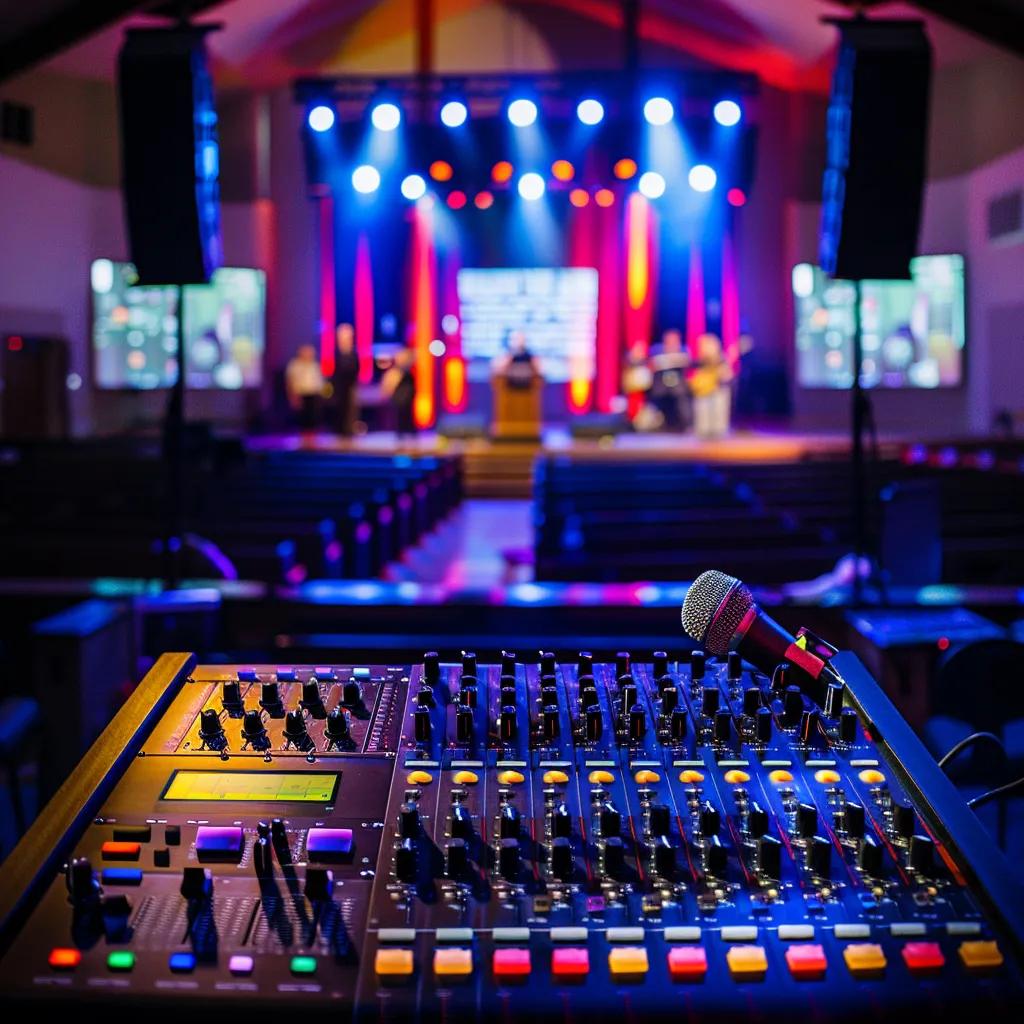
Live Sound Tips for Churches in Houston TX: Expert Guidance for Clear Worship Audio
Transform your worship gatherings into powerful, immersive experiences with crystal-clear audio that brings your congregation together. Many Houston churches face challenges like echoing sanctuaries and feedback that can detract from the message. At Legacy Sound and Production LLC, we offer proven live sound tips tailored for Houston churches, blending local expertise with top-notch AV system design to overcome these hurdles. Here’s what you’ll learn:
- Key fundamentals for setting up live sound to ensure optimal coverage
- Advanced audio mixing techniques for clarity and impact
- Best practices for live stream audio to enhance online worship
- Real-time troubleshooting for common sound issues
- Strategies for training volunteers to empower your in-house team
- Equipment recommendations to future-proof your system
By implementing these practical tips, church leaders and sound volunteers can improve speech clarity, balance worship music, and deliver consistent audio quality that elevates every service.
What Are the Essential Live Sound Setup Tips for Houston Churches?
Setting up live sound effectively involves strategic placement of microphones, speakers, and consoles to ensure clear coverage, minimize feedback, and support dynamic worship elements. A well-planned system layout captures every vocal and instrument signal, processing them through an optimized mixing console and amplifiers for consistent sound quality throughout the sanctuary. For instance, aligning loudspeakers to avoid overlap zones prevents comb filtering and maintains speech intelligibility even in large Houston sanctuaries.
Key setup steps include:
- Conduct an acoustic survey of the room geometry and reflective surfaces.
- Position microphones and direct sources to minimize bleed and echo.
- Select a mixing console location with direct sight lines to the platform.
- Aim loudspeakers for even SPL (sound pressure level) distribution.
- Organize cable runs to reduce interference and tripping hazards.
- Test and calibrate all system elements during a full worship rehearsal.
These foundational measures establish a stable platform for mixing and troubleshooting, preparing your team for vibrant, feedback-free worship environments.
How to Choose the Right Microphones for Church Worship Services
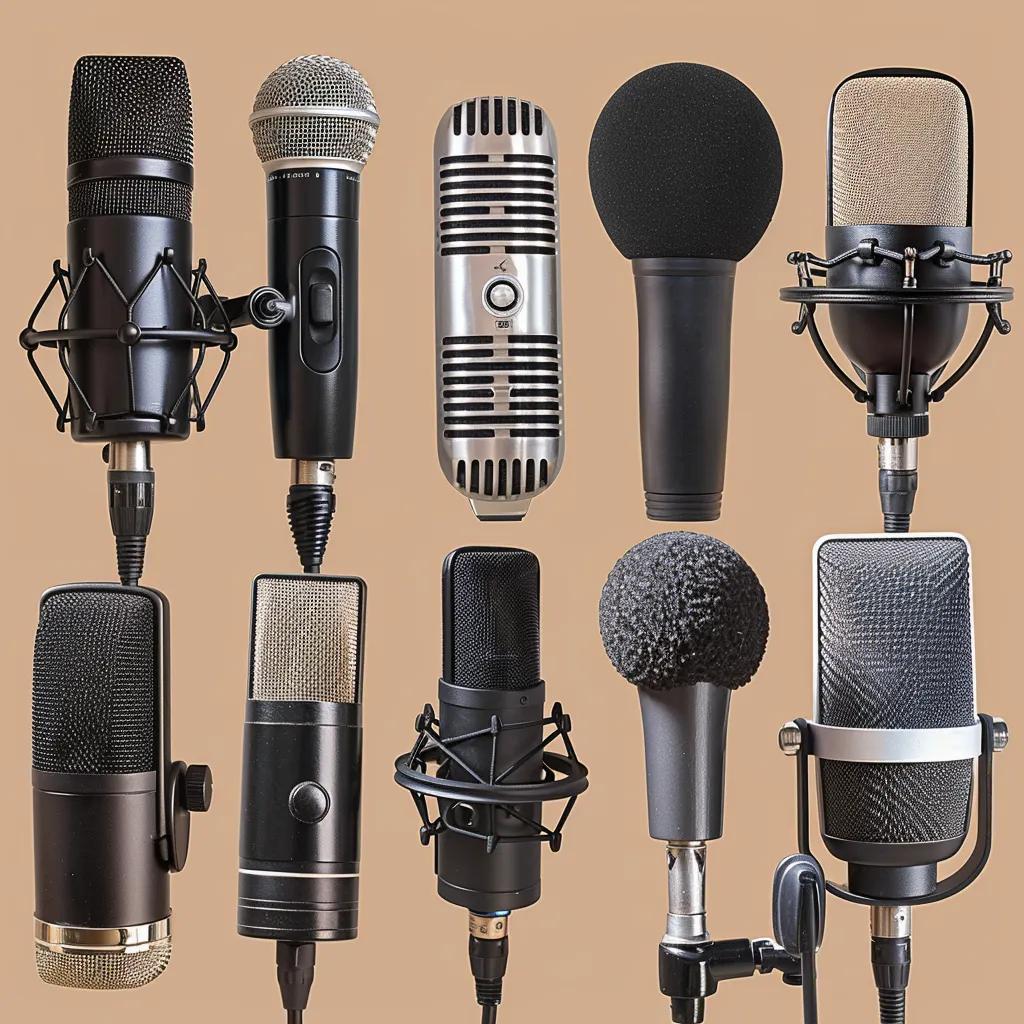
Choosing high-performance microphones is crucial for accurately capturing vocals and instruments in varied acoustic conditions. Dynamic microphones excel on loud sources like drums and guitar amps, while condensers deliver clarity for choirs and spoken word. Ribbon mics provide natural midrange tone but require careful placement to avoid damage.
Best practices:
- Use cardioid patterns on stage vocals to reject rear reflections.
- Employ shotgun or boundary mics for pulpit applications to focus on the speaker.
- Mute unused channels to prevent ambient noise buildup.
- Mount choir condensers at a 45° angle above the ensemble for uniform pickup.
By matching microphone type and polar pattern to each application, churches achieve clean signal capture that simplifies downstream mixing and enhances worship dynamics.
What Mixing Console Features Are Best for Church Audio Mixing?
A church mixing console should combine intuitive controls with flexible routing and onboard processing to streamline live services. Digital consoles offer scene recall, built-in EQ/compression, and personal monitor mixes, while analog boards provide tactile simplicity and linear signal paths.
Recommended features:
- At least 16 mono inputs and four stereo returns for band flexibility.
- Integrated digital multitrack recording for live-stream capture.
- Dedicated aux buses for monitor and broadcast mixes.
- High-resolution parametric EQ and low-latency compressors on each channel.
These capabilities enable sound volunteers to quickly adjust tone, manage dynamics, and deliver separate mixes for house and online audiences without interrupting the worship flow.
How Does Room Acoustics Affect Church Sound Quality in Houston Sanctuaries?
Room acoustics dictate how sound waves reflect and decay, influencing clarity and warmth. High ceilings and hard surfaces common in Houston churches can produce long reverberation times that muddy speech intelligibility. Acoustic treatment adds absorption or diffusion to balance reflections and improve direct-to-reverberant ratios.
Considerations:
- Identify flutter echoes between parallel walls.
- Treat early reflection zones near the pulpit and platform.
- Balance absorption panels with diffusers to prevent a “dead” sound.
- Incorporate bass traps in corners to control low-frequency buildup.
Optimized acoustics reduce the need for extreme EQ cuts, allowing the mixing console to focus on enhancing rather than correcting sound quality.
What Are Effective Acoustic Treatment Solutions for Houston Church Sanctuaries?

Acoustic treatment balances absorption and diffusion to control reverberation, echo, and flutter, improving spoken word intelligibility and musical clarity. Proper treatment prevents overlapping reflections from blurring fast musical passages and congregation responses. Tailored solutions respect historic architecture while delivering acoustical performance.
How to Control Reverberation and Echo in Older Church Buildings
Excessive reverberation extends decay times, smearing vocals and rhythm. Installing porous absorption panels on sidewalls and ceilings reduces early reflections and shortens RT60 (reverberation time).
Treatment approaches:
- Mount acoustic clouds above the stage to trap ceiling reflections.
- Apply heavy drapery along side aisles to absorb mid-high frequencies.
- Use diffusive wooden lattices at rear walls to scatter remaining reflections.
- Place bass traps in corners to tame low-frequency buildup.
These interventions restore speech clarity and preserve musical warmth, enabling worship leaders to be heard distinctly even in cavernous sanctuaries.
Which Sound Absorption Materials Are Recommended for Worship Spaces?
Different materials target specific frequency bands and aesthetic needs. Fiberglass panels offer broadband absorption, while acoustic foam excels on mid-high frequencies. Mineral wool boards deliver high NRC (noise reduction coefficient) at lower cost.
Material comparison:
Selecting the right combination ensures balanced reverberation control without over-damping the sacred atmosphere.
How Does Speaker Placement Influence Room Acoustics and Sound Coverage?
Speaker alignment determines direct sound arrival times and SPL uniformity. Flown arrays angled at 7–15° cover deep seating, while under-balcony fills address shadow zones.
Placement strategies:
- Align main arrays to cover the congregation without pointing at reflective surfaces.
- Delay fills by calculated milliseconds to synchronize with mains.
- Aim subwoofers toward sidewalls for bass coupling and even distribution.
- Avoid pointing speakers directly at hard back walls to reduce slap echo.
Accurate placement enhances speech intelligibility and musical clarity, creating a cohesive listening experience throughout the worship space.
What Are Cost-Effective Acoustic Upgrades for Budget-Conscious Churches?
Affordable mods can yield significant acoustic improvements without full room retrofit. Repurposed gym mats, locally sourced heavy drapes, and strategically placed bookshelves serve as makeshift absorbers and diffusers.
Budget upgrades:
- Install DIY fiberglass panels behind fabric facades.
- Hang acoustic baffles from exposed beams using simple hardware.
- Use movable gobos (portable panels) during services for targeted reflection control.
- Encourage volunteer painting and mounting to reduce labor costs.
These pragmatic solutions deliver audible benefits while preserving budget for future professional enhancements.
Which Loudspeaker and Amplifier Configurations Work Best for Churches?
A distributed loudspeaker system with multiple fills provides uniform coverage in irregular seating areas. Full-range line arrays or two-way flown systems ensure consistent tonal balance, while dedicated subwoofers handle low-frequency energy from drums and bass.
Configuration guidelines:
- Use self-powered or bridge-able amplifiers matching speaker impedance.
- Set crossover frequencies around 80–100 Hz for subwoofer integration.
- Align speaker delay times to prevent phase cancellation in long aisles.
- Calibrate amplifier gain structure to protect drivers and maintain headroom.
Properly matched amplification supports dynamic worship music and spoken word without distortion, ensuring every seat experiences clear, impactful sound.
How to Optimize Sound System Installation for Houston Church Spaces
Custom installation adapts sound systems to each sanctuary’s structural and aesthetic constraints. Professional system design considers cable pathways, rack ventilation, and access for adjustments.
Installation essentials:
- Secure loudspeaker rigging points to building structure and local codes.
- Label and document all signal and power connections in racks.
- Position the mixing console on a stable surface with ergonomic access.
- Integrate wall-mounted control tablets for remote level adjustments.
By investing in meticulous installation and detailed documentation, churches minimize downtime, simplify maintenance, and support reliable operation for every service.
How Can Churches Improve Audio Mixing Techniques for Worship Services?
Effective audio mixing applies EQ, compression, and gain staging to balance musical elements and optimize speech clarity. Proper mixing enhances congregational engagement by ensuring that the pastor’s voice cuts through instruments without harshness, while music retains warmth and punch. A well-mixed service reduces listener fatigue and fosters emotional connection.
What Equalization (EQ) Settings Enhance Speech Clarity and Music Balance?
EQ sculpts frequency content to eliminate masking and emphasize key tonal regions. Cutting muddiness around 200–400 Hz clears vocal resonance, while boosting 2–4 kHz enhances speech intelligibility. Music elements benefit from gentle low-cut filters and midrange cuts to prevent frequency clashes.
Typical EQ tips:
- Apply a 100 Hz high-pass filter on all vocal channels.
- Reduce 300 Hz on full-range instruments to avoid boxiness.
- Boost 10 kHz on acoustic guitars for presence.
- Use surgical cuts (2–3 dB) on problem frequencies rather than broad boosts.
These targeted adjustments create space for vocals while preserving musical energy, delivering a balanced mix that supports worship dynamics.
How to Use Compression and Gain Staging for Dynamic Worship Audio
Compression controls dynamic range by attenuating peaks and raising quieter passages, resulting in a more consistent level. Good gain staging sets preamp gain so that average signal peaks around ‑18 dBFS on digital consoles, maintaining headroom.
Compression workflow:
- Set threshold just above average signal level.
- Use a ratio of 3:1 to 4:1 for vocals to control peaks without pumping.
- Adjust attack (10–30 ms) to let transients through and release (100–300 ms) to preserve natural decay.
- Apply makeup gain to restore perceived loudness after compression.
By combining proper gain staging with tasteful compression, services maintain dynamic impact—soft prayer responses remain audible while instrument peaks stay under control.
What Are Best Practices for Creating Separate House and Live Stream Mixes?
Dedicated mixes for house and livestream audiences allow tailored EQ, reverb, and level settings. The livestream mix often needs more compression and de-essing for headphone listeners, while the house mix benefits from room-specific EQ.
Key steps:
- Use separate aux buses for each mix feed.
- Assign distinct FX sends (e.g., shorter reverb on livestream).
- Monitor livestream mix via high-quality headphones away from audience sound.
- Tweak levels in real time using a second operator or remote control.
This dual-mix approach ensures both in-sanctuary and online worshipers enjoy optimized audio tailored to their listening environments.
How to Monitor and Adjust Sound Levels During Live Services
Real-time monitoring prevents sound issues from escalating. Visual meter readings combined with headphone spot-checks provide immediate feedback on signal integrity.
Monitoring routine:
- Observe channel meters to catch clipping or low levels.
- Rotate headphone checks across vocals, instruments, and master bus.
- Watch house SPL using an SPL meter at audience locations.
- Adjust faders proactively when dynamic song sections change.
Continuous monitoring enables sound technicians to respond swiftly, preserving clarity and balance through every segment of the service.
How to Set Up and Optimize Live Stream Audio for Houston Churches?
Live stream audio must translate sanctuary sound to online platforms with clarity, balance, and minimal latency. A dedicated broadcast chain captures a clean mix, converts analog signals to digital, and delivers consistent levels to streaming encoders. Optimized online audio sustains viewer engagement and expands remote ministry reach.
What Audio Interfaces and Equipment Are Needed for Church Live Streaming?
A quality audio interface converts multiple XLR inputs into USB or Dante feeds for streaming computers. Key components include preamps with low-noise circuitry, phantom power for condensers, and digital I/O for reliable connectivity.
Essential gear:
- 4–8 channel USB audio interface with 24-bit/96 kHz resolution.
- Standalone headphone amp for monitoring the broadcast feed.
- Backup analog feed via an auxiliary output on the mixing console.
- Uninterruptible power supply (UPS) to protect against outages.
By integrating robust audio interfaces and backup paths, churches ensure uninterrupted, professional-grade live stream audio.
How to Achieve Clear and Balanced Audio for Online Worship Services?
Balancing the livestream mix requires focused EQ, gentle compression, and level automation. Online listeners benefit from more aggressive de-essing and limited dynamics to compensate for varied playback devices.
Mixing recommendations:
- Apply a 100 Hz high-pass filter on the broadcast bus to remove subsonic rumble.
- Use multiband compression to control bass peaks from drums and keyboards.
- Insert a stereo limiter at ‑1 dBFS to prevent encoder overload.
- Adjust monitor headphone mix separately to verify voice clarity and music balance.
Following these steps yields a clear, consistent livestream audio experience that reflects the in-sanctuary atmosphere.
What Software Solutions Are Best for Church Live Stream Audio?
Software encoders like OBS Studio, Wirecast, and vMix provide flexible routing, audio processing, and direct platform integration. Many include audio meters, filters, and hotkey scene switching for seamless transitions.
Software highlights:
- OBS Studio: Open-source, customizable filters, and VST plugin support.
- vMix: Built-in audio mixer, multi-bit AGC, and direct Twitch/YouTube output.
- Wirecast: Advanced audio delay compensation and ISO recording features.
- Dante Virtual Soundcard: Dante network integration for large-scale productions.
Selecting the right toolset empowers volunteers to manage live streams with professional-grade control and reliability.
How to Troubleshoot Common Live Stream Audio Issues in Churches?
Real-time troubleshooting prevents audio dropouts and feedback loops that distract online worshipers. A systematic approach identifies source faults, processing errors, or network latency.
Troubleshooting checklist:
- Verify physical cabling and XLR connections for continuity.
- Monitor audio interface latency settings and buffer sizes.
- Disable unused channels and mute returns to eliminate feedback.
- Check streaming software logs for encoder overload or disconnects.
Prompt diagnosis and resolution maintain uninterrupted online services that reflect the high-quality in-sanctuary experience.
What Are Common Church Sound Problems and How Can They Be Troubleshot?
Church sound systems often encounter feedback, low volume, and intermittent dropouts that disrupt worship flow. Identifying root causes—room resonances, gain structure issues, or failing hardware—enables targeted fixes rather than quick-fix workarounds. A structured troubleshooting process restores consistent audio performance and prevents recurring issues.
How to Identify and Eliminate Feedback in Church Sound Systems
Feedback occurs when amplified sound from loudspeakers re-enters microphones, creating a loop that self-oscillates at specific frequencies. Pinpointing feedback frequencies and applying narrow EQ cuts or repositioning mics stops the loop.
Feedback elimination steps:
- Sweep parametric EQ bands to locate feedback frequency peaks.
- Lower channel gain or move the microphone away from the speaker’s path.
- Use directional microphones and activate feedback suppression tools.
- Deploy in-ear monitors for musicians to reduce onstage speaker levels.
By systematically addressing feedback sources, churches achieve stable, whistle-free sound conducive to engaging worship services.
What Causes Muffled or Low Volume Sound and How to Fix It?
Muffled audio often stems from incorrect EQ settings, misplaced absorption materials, or clogged microphone grills. Low volume issues result from improper gain staging or muted signal paths.
Resolution measures:
- Inspect and clean microphone elements to remove debris.
- Reset channel EQ to flat, then apply gentle tonal shaping.
- Verify preamp gain is set so peaks reach ‑6 dBFS on digital consoles.
- Check mute switches, fader positions, and aux send levels for proper routing.
Restoring clean signal paths and balanced EQ delivers intelligible sound that carries throughout the sanctuary.
How to Address Intermittent Audio and Signal Dropouts During Services
Intermittent audio often indicates loose connections, faulty cables, or digital interface conflicts. Reproducing the dropout helps isolate the problematic link.
Diagnostic steps:
- Wiggle cables at both ends while monitoring for audio loss.
- Swap suspect cables with known-good spares to confirm faults.
- Update firmware on digital consoles and audio interfaces.
- Ensure wireless systems use clear RF channels free of interference.
Resolving transient dropouts preserves service continuity and maintains congregational focus.
When to Call Professional Audio Engineering Services in Houston
Complex installations, major acoustic renovations, or persistent sound issues warrant expert intervention. Professional engineers conduct detailed site surveys, design acoustic treatments, and perform advanced system calibrations.
Engage professionals when:
- Room acoustics severely limit intelligibility despite DIY efforts.
- System expansions require new rack builds, network audio, or Dante integration.
- Live streaming reliability demands failover and redundancy planning.
- Volunteer turnover necessitates comprehensive training and documentation.
Partnering with experienced audio engineers safeguards long-term performance and supports every future worship event.
How Can Volunteer Church Sound Technicians Be Trained Effectively?
Empowering volunteers with structured training builds confidence and ensures consistent audio quality. Training programs combine hands-on console operation, microphone handling, and sound check protocols to foster autonomy and reduce service-day stress.
What Are the Basics of Operating a Church Mixing Console for Volunteers?
Volunteers should master input channel control, bus assignment, and master output management before tackling advanced processing. Clear console labeling and color-coded strips simplify channel identification.
Basic console operations:
- Identify and label all input channels with source names (e.g., “Vocal 1,” “Piano”).
- Solo channels to isolate and troubleshoot specific signals.
- Route channels to appropriate auxiliary buses for monitors and livestream.
- Use channel faders for level balancing, not preamp gain knobs.
Building console fluency prevents misrouting and supports smooth service transitions.
How to Perform a Proper Sound Check for Worship Services
A systematic sound check ensures each source is balanced across the full dynamic range. Starting with static sources and progressing to band rehearsal prevents overload surprises during live worship.
Sound check sequence:
- Establish gain structure with one vocal mic at conversational level.
- Add lead instruments (keyboard, acoustic guitar) and set relative levels.
- Integrate dynamic instruments (drums, electric guitar) with careful compression.
- Conduct full band run-through to refine mix and fix feedback points.
A detailed sound check empowers volunteers to identify and correct issues before the congregation arrives.
What Microphone Handling and Placement Tips Should Volunteers Know?
Proper microphone technique minimizes handling noise, plosives, and feedback. Volunteers benefit from quick reference guides on safe handling and placement distances.
Key microphone practices:
- Hold handheld mics at a 45° angle, 2–4 inches from the mouth.
- Use shock mounts and pop filters on condenser mics to reduce noise.
- Keep unused mics off or muted to avoid ambient pickup.
- Place instrument mics at the speaker’s grille or sound hole for best tone.
Mastering these basics delivers cleaner signals and reduces on-stage distractions.
How to Build Confidence and Skills in Volunteer Sound Teams
Ongoing mentorship, clear documentation, and incremental challenges accelerate volunteer proficiency. Regular debriefs after services highlight successes and areas for improvement.
Skill-building strategies:
- Pair new volunteers with experienced operators for shadowing sessions.
- Provide concise cheat sheets for EQ settings and console layouts.
- Schedule quarterly workshops on topics like live streaming or acoustic treatment.
- Recognize volunteer achievements to foster commitment and retention.
Cultivating a supportive learning environment transforms volunteers into capable technicians who sustain excellent worship audio.
What Essential Church Sound System Equipment Should Houston Churches Consider?
Choosing the right audio equipment lays the foundation for reliable, upgradeable systems that grow with your ministry. A cohesive product selection ensures compatibility, simplifies maintenance, and delivers consistent performance across styles and services.
How to Compare Digital and Analog Mixing Consoles for Church Use
Digital consoles excel in multi-service environments, while analog desks suit small setups with minimal processing needs.
What Wireless Microphone Systems Are Ideal for Worship Settings?
Wireless systems free presenters to move without cable restrictions. High-end systems use true diversity receivers and encrypted RF to avoid dropouts.
Recommended wireless attributes:
- UHF/VHF band for long-range stability.
- Dynamic frequency scanning to select the cleanest channels.
- Rechargeable battery packs for consistent runtime.
- Boundary receivers for multiple mic coverage on larger stages.
Selecting a robust wireless system prevents interference and ensures dependable vocal clarity throughout the sanctuary.
Which Loudspeakers and Amplifiers Deliver Optimal Worship Sound?
Full-range line arrays combined with dedicated subwoofers deliver even dispersion and controllable bass extension. Class-D amplifiers offer high efficiency and lightweight installation.
Equipment considerations:
- 8–12″ coaxial loudspeakers for near-field fills.
- 2×18″ subwoofer cabinets for low-end reinforcement.
- Class-D amplifiers rated at 1.5× speaker power for headroom.
- Networked DSP for remote EQ, delay, and limiter control.
Coordinating speaker and amplifier selection optimizes system headroom and reliability for dynamic worship programming.
How to Manage Audio Cabling and Wireless Systems for Reliable Performance
Proper cable management prevents signal loss, interference, and trip hazards. Wireless systems require clear RF planning and shielding to avoid dropouts.
Cabling best practices:
- Use balanced XLR cables for all microphone and line-level runs.
- Bundle and label cables with durable color-coded ties.
- Route power cables separately from audio runs to reduce hum.
- Conduct site RF scans periodically and update wireless channel assignments.
Effective cable and wireless management underpins system stability and simplifies troubleshooting during services.
Churches that invest in high-quality gear and disciplined installation enjoy years of reliable operation, freeing volunteers to focus on excellence in worship audio.
Engaging expert audio engineers ensures your church benefits from tailored system design, acoustical insight, and professional installation. By adopting these live sound tips—from setup fundamentals through advanced mixing and treatment—your Houston congregation will experience clear, immersive worship services every week. Contact Legacy Sound and Production LLC today to explore customized solutions and ongoing support that elevate your ministry’s audio-visual impact.